Brightness Uniformity Calculator

Measure brightness (cd/m²) in 9 quadrants and generate a professional contour map

Data Input

Visualized Uniformity Map

Light (0% Dev.)
Dark (>25% Dev.)

How to Measure TV & Monitor Screen Brightness Uniformity?

Achieving perfect brightness uniformity is a hallmark of high-quality display manufacturing. Whether you are conducting quality control (QC) in a TV factory or calibrating a professional office monitor, the 9-point measurement method is the industry standard for analyzing backlight consistency.

Here is the professional guide on how to test your display using a colorimeter (e.g., Konica Minolta CA-310, Spyder calibrator)

Section 1: Testing Smart TVs & Standard Televisions

Measuring a TV requires a stable, pure white signal at maximum output. Depending on the TV’s capabilities, use one of the two methods below:

Method A: For Smart TVs (Standalone)

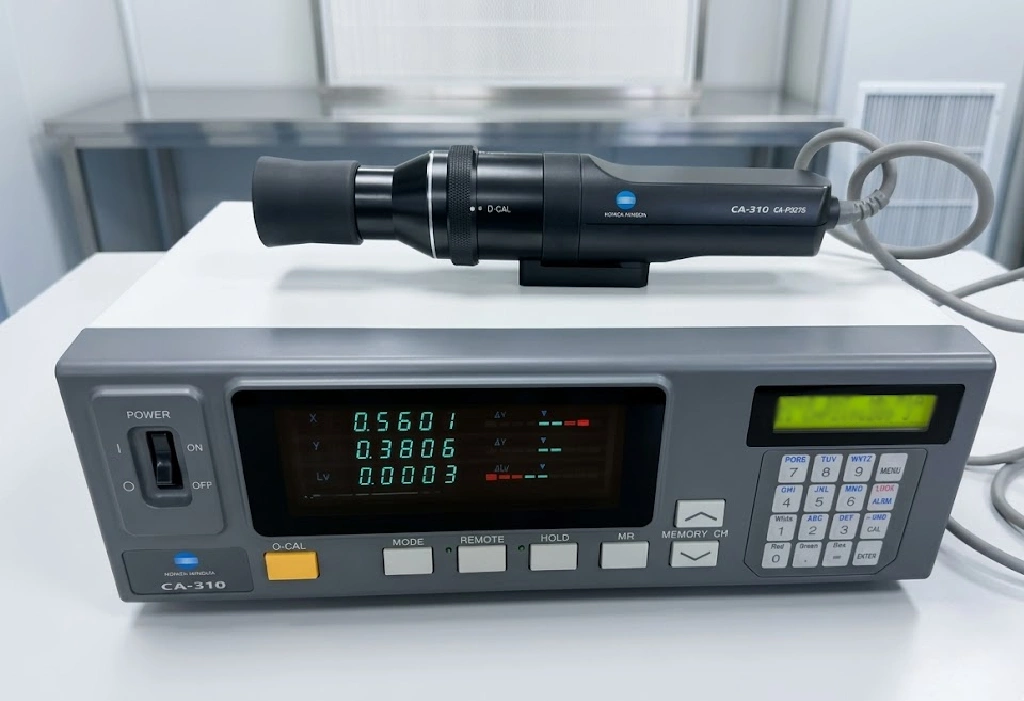
CA-310 Color Analyzer, a tool for TV/monitor to test its color gamut, brightness, etc.
Konica Minolta CA-310
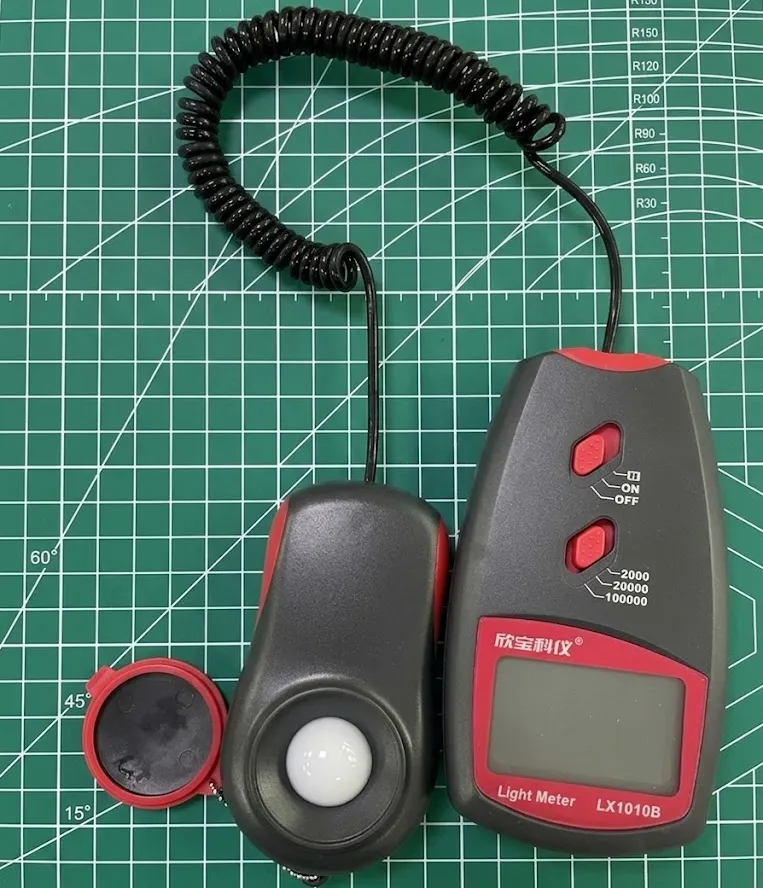
Light meter, specialized for checking the brightness of any display products(TVs, monitors, etc).
Light Meter
  • Prepare the Signal: Load a Pure White (255, 255, 255) image with a 9-quadrant grid overlay onto a USB drive.
  • Display the Pattern: Open the image via the TV’s media player or a built-in web browser. Ensure the image is set to “Full Screen” or “Original Size” to avoid scaling artifacts.
  • Peak Brightness: Set the TV’s backlight and brightness to 100% and turn off any “Eco-mode” or “Local Dimming” features to get the raw panel performance.
  • Sampling: Use your colorimeter to sample the center of each of the 9 quadrants. Record the cd/m² (Nits) values for each zone.
  • Put the recorded data into the calculator above.

Method B: For Non-Smart TVs (Connect to a PC)

If the TV lacks smart features, treat it as an external display by connecting to a PC:

Light meter, specialized for checking the brightness of any display products(TVs, monitors, etc).
Light Meter
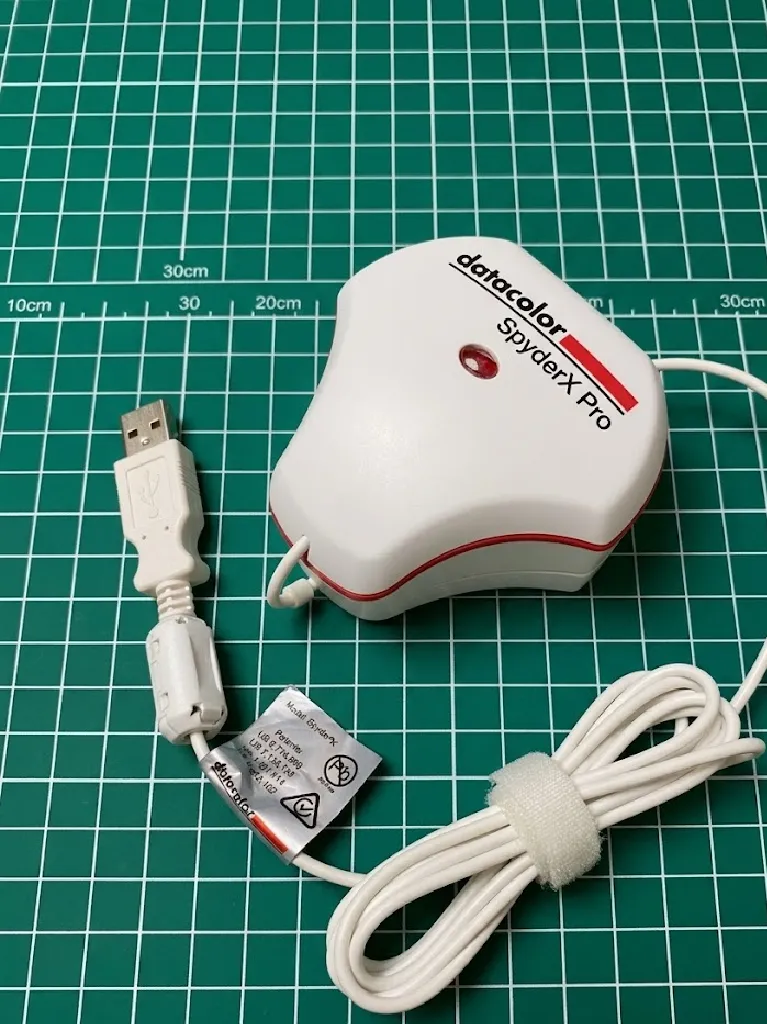
Color calibrator SpyderX. It is used to do color calibration and also detect the brightness, perfect for monitors.
SpyderX - Color calibration tool
  • Connect via HD Port: Connect a laptop or PC to the TV. Ensure the PC output resolution matches the TV’s native resolution (e.g., 3840×2160 for 4K).
  • Duplicate Display: Set the display mode to “Extend” or “Duplicate” to project the testing pattern onto the TV screen.
  • Follow Sampling Steps: Proceed with the sampling process as described in Method A.

Why Does Uniformity Matter for B2B Buyers?

In the global TV export business—especially for markets in Africa, Southeast Asia, and the Middle East—panel quality is the primary differentiator.

  • Low Deviation (<15%): Premium Grade A+ panels. Ideal for high-end home cinemas.
  • Moderate Deviation (15-25%): Standard commercial grade.
  • High Deviation (>25%): May result in the “Dirty Screen Effect” (DSE), which is visible during sports or fast-moving scenes.

With this idea in mind ensures you are delivering consistent, high-performance technology to your clients, backed by factory-grade data.