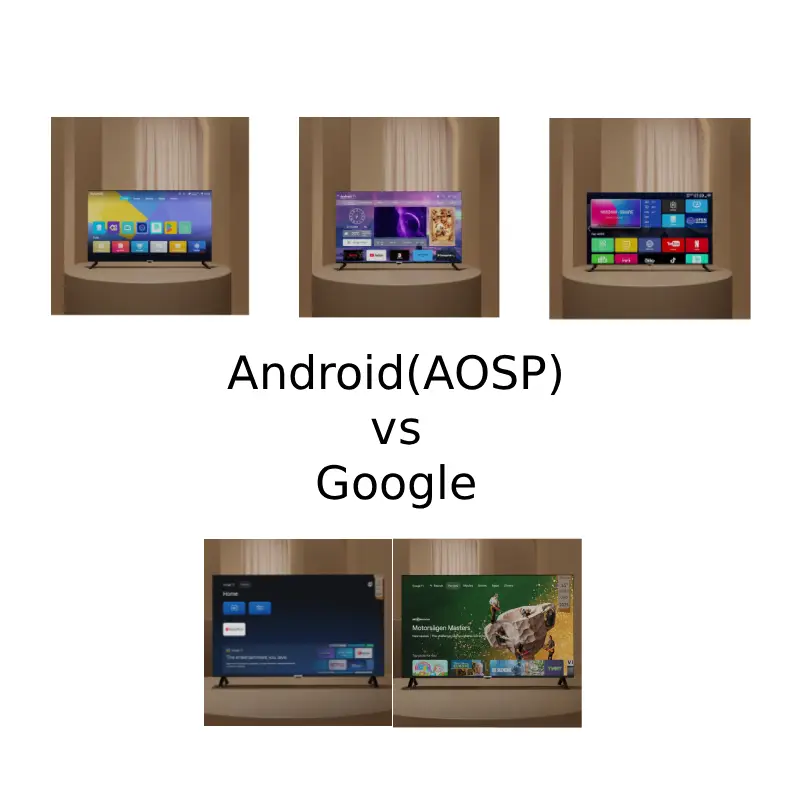
Short answer: Google TV and Android-based TVs are not always the same. Google TV uses Google’s certified TV platform, while many TVs marketed as Android TVs use AOSP software customized by the manufacturer. This can affect the interface, app store, streaming compatibility, Google services and software updates.
When shopping for a TV, the Android version number alone does not tell you whether the device uses Google TV or Google’s certified TV platform.
When shopping for a smart TV, you may see products described as Android TV, Android Smart TV, Google TV, or simply an Android 14 TV. The names sound similar, and in some cases the products may even use Android-based software. But the actual experience can be very different.
The biggest source of confusion is that the term “Android TV” is often used to describe more than one type of television software. Two TVs can both be advertised as Android TVs while having completely different home screens, app stores, streaming app compatibility and Google services.
This difference is about much more than the appearance of the home screen. It can affect where you download apps, whether Google Play is available, how well apps work with a TV remote, and the overall compatibility of streaming services such as Netflix.
In this guide, we will look beyond the usual “Google TV has a newer interface” explanation. Using real examples of AOSP TV interfaces and app stores, we will compare how AOSP-based Android TVs and Google TV differ in their software, user interface, app ecosystem, certification and everyday viewing experience.
Same Android, Different TV Interfaces
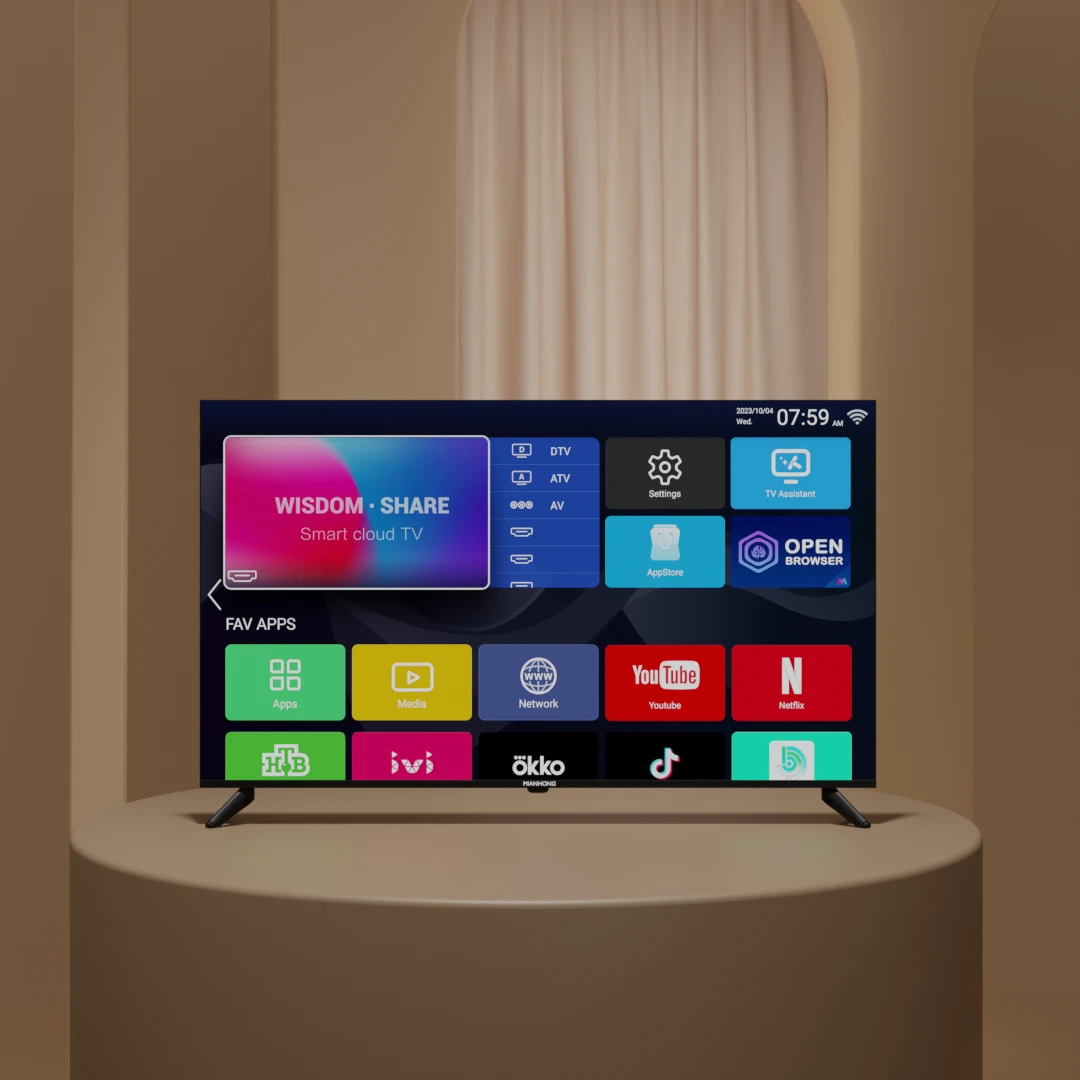
One of the easiest ways to understand the difference between AOSP-based TVs and Google TV is to look at the interface itself.
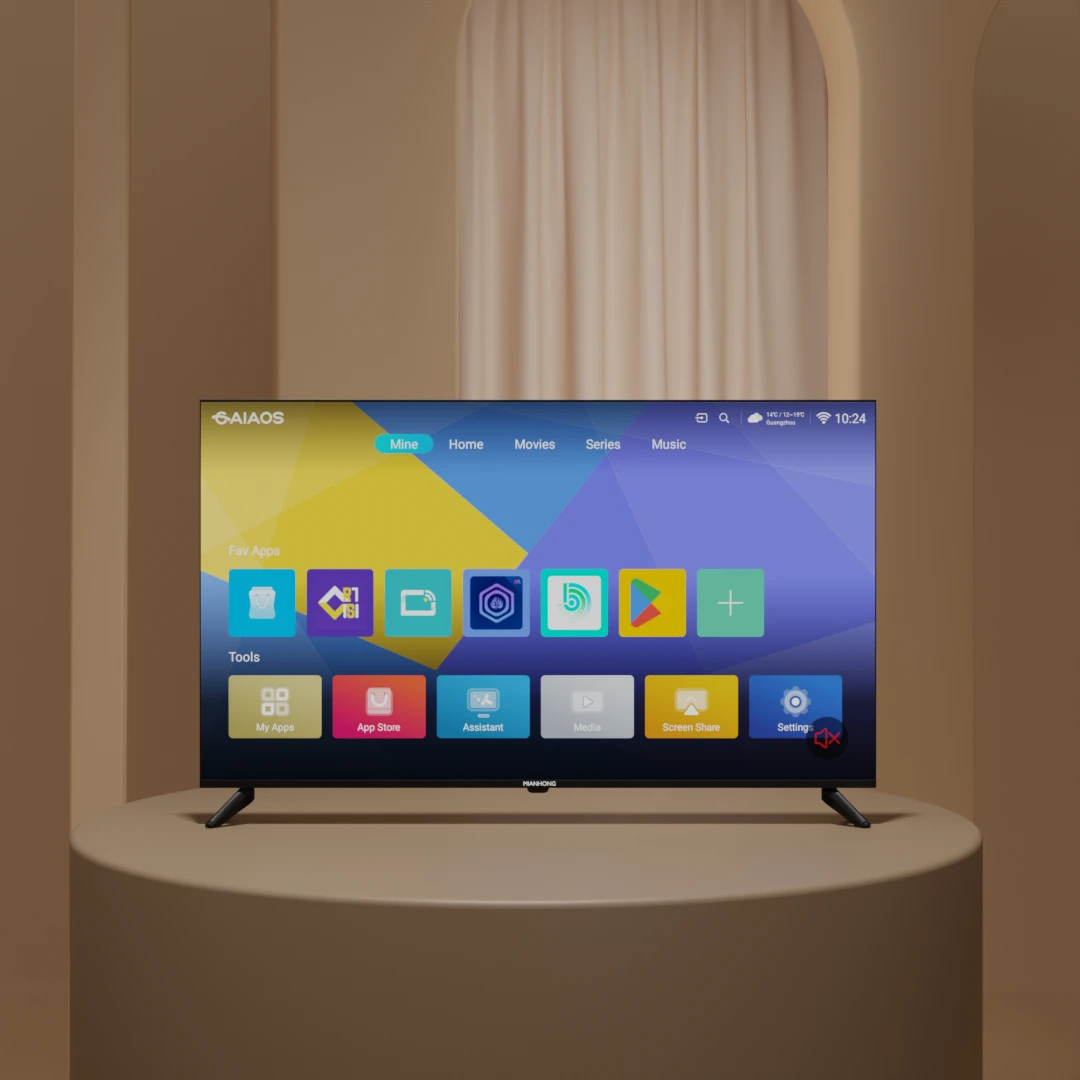
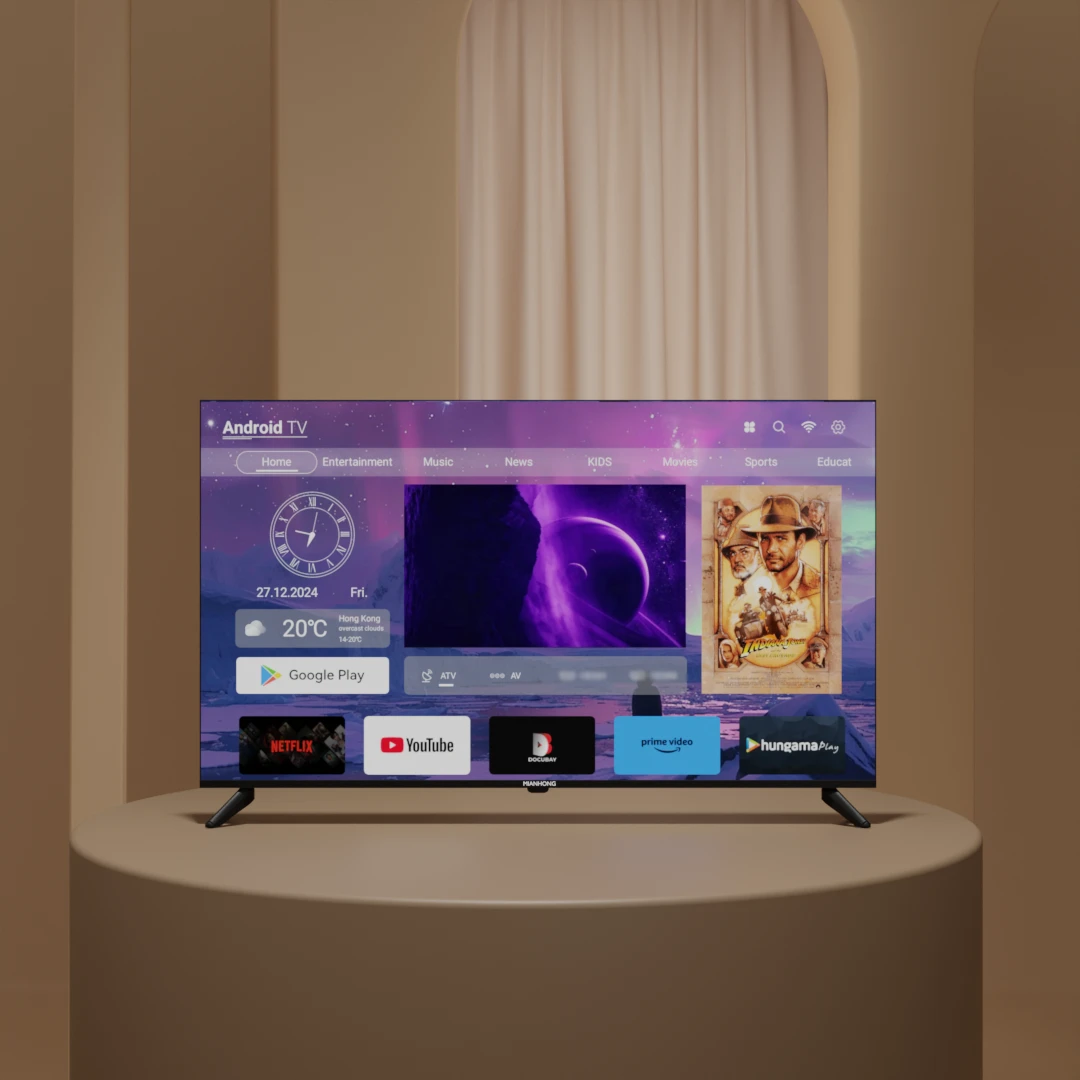
AOSP gives TV manufacturers and software providers considerable freedom to customize the user experience. The launcher, home screen, settings menu, app layout and even the overall navigation style can therefore vary from one TV platform to another.
This means that two televisions can both be based on Android while looking and behaving very differently. The difference is not necessarily caused by the Android version. It can come from the software layer built on top of the Android foundation.
AOSP TV Interfaces Can Vary by Software Platform
These examples use Android-based software, but their home screens and navigation are different because the TV software has been customized by different platform or mainboard suppliers.
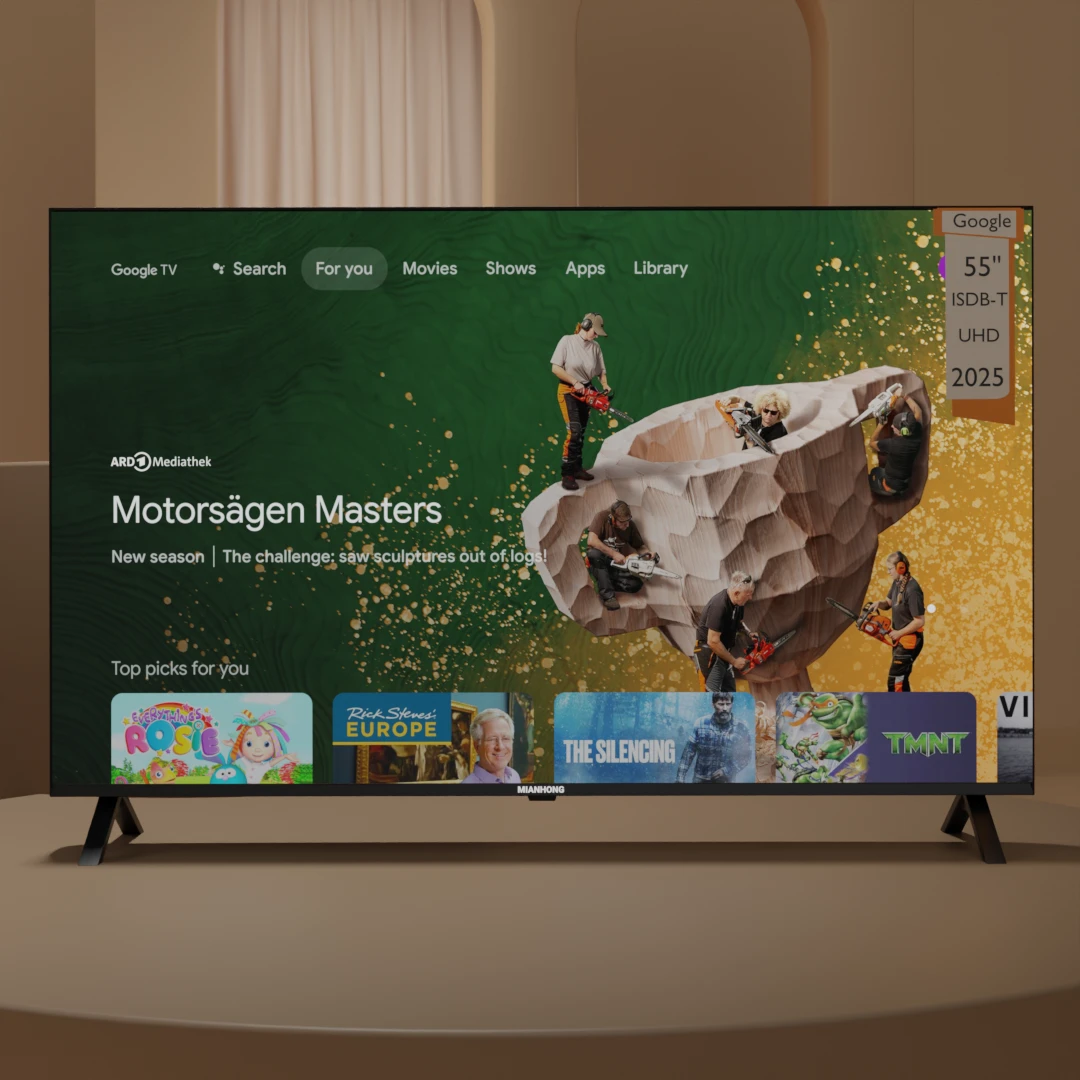
What Google TV Looks Like
Google TV follows a much more standardized interface designed around content discovery, recommendations and Google’s ecosystem. However, a user usually needs to login first to see the actual UI.
| | AOSP-Based TV | Google TV |
|---|
| Home screen | Can vary by manufacturer | Official Google TV interface |
| Customization | High | More controlled |
| Convenience | Turn on and use | Must login to use |
| Content discovery | Depends on implementation | Core Google TV feature |
The difference in interface is only the part consumers can see immediately. A more important difference appears when you open the app store and try to install and use streaming applications.
Google Play vs Custom App Stores
The home screen is the first difference you may notice, but the app store can tell you much more about the software platform inside a TV.
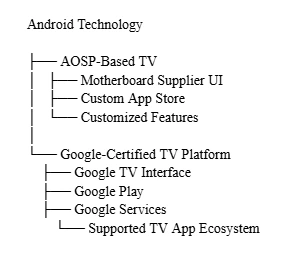
On a Google-certified TV using Google TV, Google Play provides the main app distribution platform for supported TV applications. On an AOSP-based TV, however, Google Play is not automatically included. The manufacturer or mainboard software provider may instead use its own app store or another third-party marketplace.
This is an important distinction because the app store determines more than where you download applications. It also affects which apps are available, how they are updated, and whether an app is designed and approved to work properly on a television.
Google Play on Google TV
Google Play is integrated into the Google ecosystem used by supported certified TV devices. Instead of simply providing a collection of Android APK files, the TV version of Google Play is designed to present applications that are available for the device and its supported platform.
For consumers, this makes the app experience more straightforward. You can search for an application, install it through the TV interface, and receive updates through the same ecosystem. The availability of individual apps can still vary by country, device and service provider, but the platform provides a standardized way to discover and manage supported TV applications.
This is particularly important for streaming services. A TV app needs more than just an Android-compatible package to provide a good television experience. Remote-control navigation, screen layout, playback requirements and device compatibility can all matter.
Custom App Stores on AOSP-Based TVs
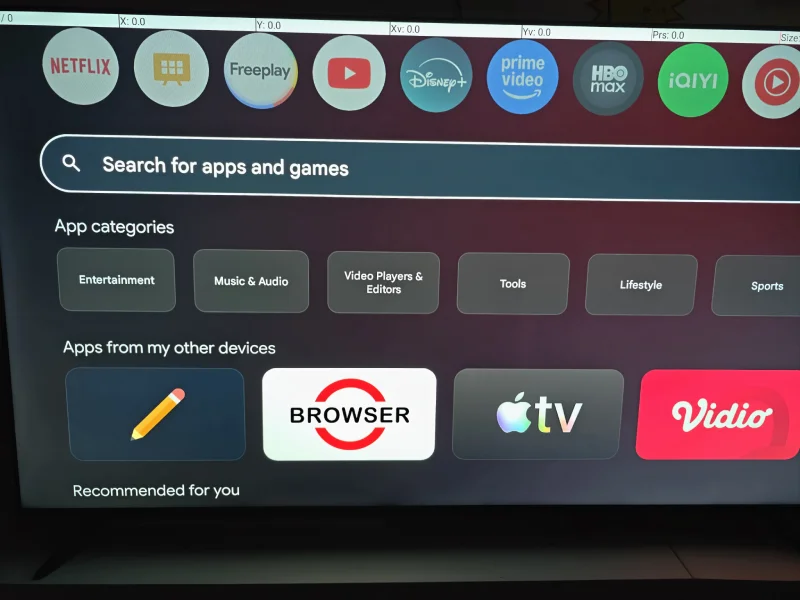
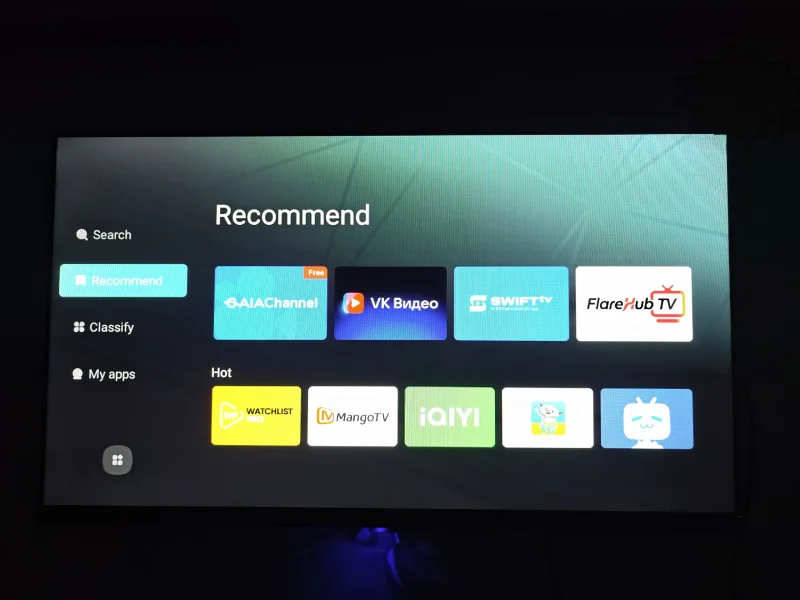
AOSP-based TVs work differently. Because AOSP is the open-source foundation of Android, a TV manufacturer or software provider can build its own application marketplace instead of using Google Play.
This is why you may find different app stores on different AOSP-based televisions. One TV may use an app marketplace provided by its mainboard supplier, while another may use a store developed or customized specifically for a particular brand or region.
The appearance of these stores can be completely different, even when the underlying TVs are all based on Android. The available applications, update mechanism and level of TV optimization also depend on the specific software platform.
Why Having an App Store Does Not Mean Having the Same Apps
Seeing an app store on a TV does not necessarily mean that it has the same application ecosystem as Google TV.
An AOSP-based TV may have an app store with many familiar applications, but availability can depend on the software provider, region and licensing arrangements. Some applications may also be Android mobile or tablet versions rather than versions specifically designed for television.
This is why the better question is not simply, “Does this TV have an app store?” Instead, check whether the specific apps you use are available and whether they are properly optimized for TV use.
Conclusion
The difference between Android-based TVs and Google TV is more than a different-looking home screen.
Many AOSP-based TVs use Android as their software foundation while allowing manufacturers or mainboard suppliers to customize the interface and app ecosystem. This can result in different home screens, settings menus and app stores across different TV models.
Google TV, on the other hand, provides a more standardized experience built around Google’s TV ecosystem and supported services. For consumers who rely heavily on Google Play and streaming applications, this can make the overall experience more predictable.
That does not mean an AOSP-based TV is automatically a bad choice. It can be a practical option for buyers who prioritize affordability, customization or basic smart TV functions. The important thing is to understand what software platform is actually inside the TV rather than choosing a product based only on labels such as “Android TV” or “Android 14.”
Before buying, check the actual interface, app store and applications available on the specific model. The software experience can matter just as much as the Android version printed on the product specification.
| Feature |
AOSP-Based Android TV |
Google TV |
| Android-based software |
Yes |
Yes |
| Software source |
AOSP-based |
Google-certified platform |
| Home screen |
Varies |
Google TV |
| UI customization |
High |
More controlled |
| App store |
Custom or third-party |
Google Play on supported devices |
| Google services |
Not automatically included |
Integrated on supported devices |
| App experience |
Can vary |
More standardized |
| Voice Remote |
Depend on manufacturer |
Official Google voice assistant |
| Netflix experience |
Depend on manufacturer |
Designed for supported TV devices |
| Google Cast |
3rd party |
Available on supported devices |
| Hardware requirements |
Flexible |
Platform requirements apply |
| Customization freedom |
High |
Lower |
| Typical consumer focus |
Lower Price and flexibility |
Streaming and ecosystem(officially licensed) |